Usage
Transport orders to SendCloud
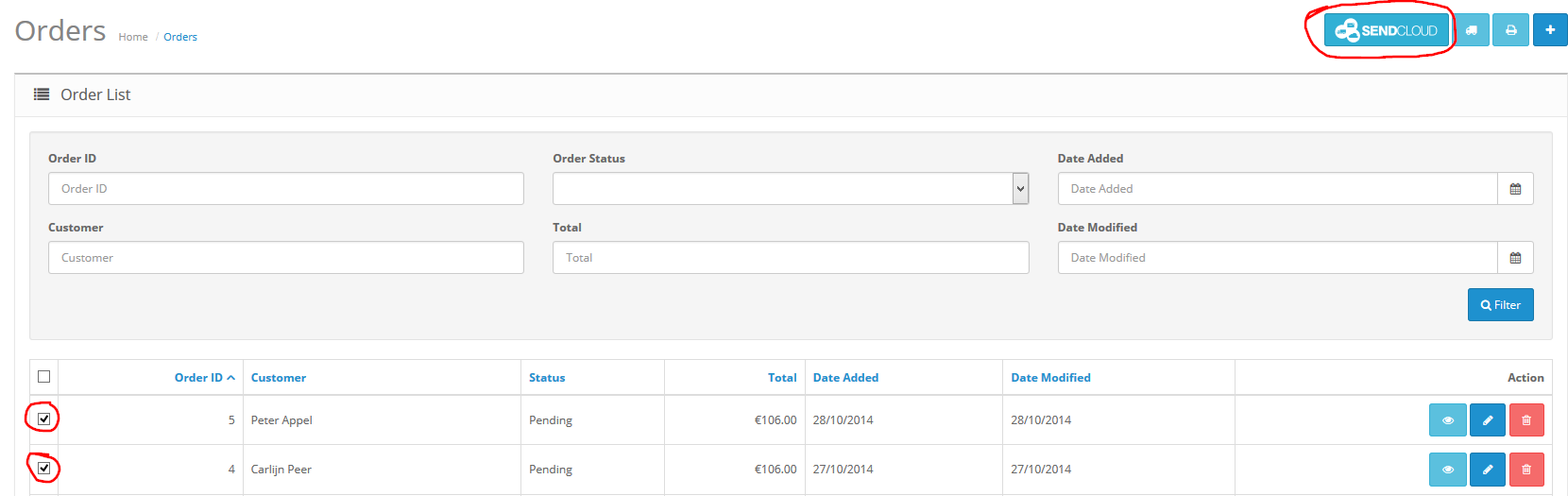
The extension is installed. You can now use the SendCloud Extension to transport your orders. In the OpenCart admin go to Sales -> Orders.
Select the orders you want to transport to SendCloud and click the button with the SendCloud logo.
Process orders in SendCloud
Login on the SendCloud Panel with your SendCloud account. In the blue top menu, select the plug icon (if you have multiple integrations, there can be multiple icons in this bar, in this case, select the plug icon that corresponds to the newly set up webshop).
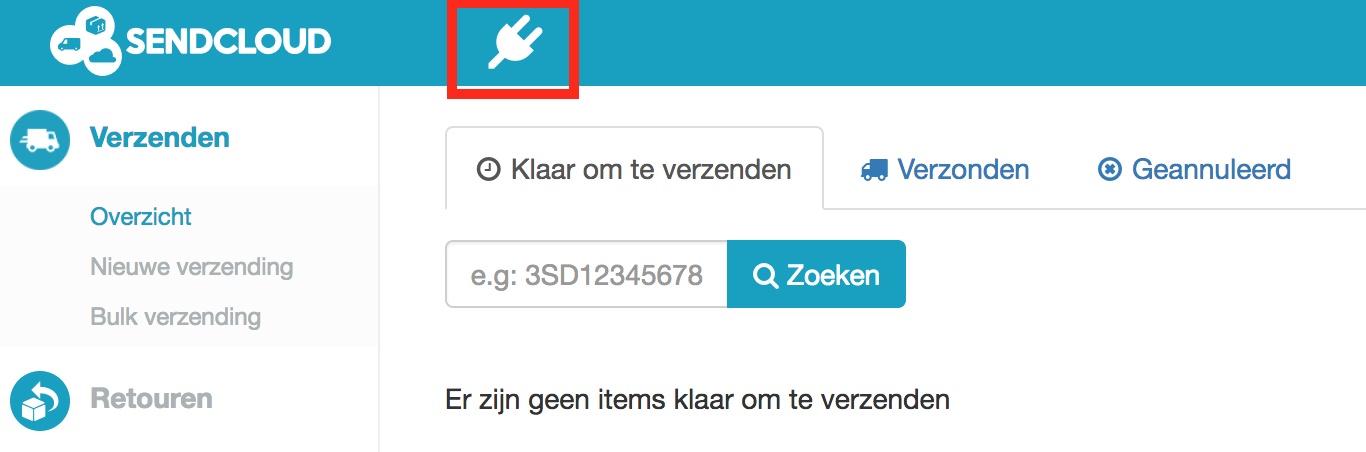
On the overview page that comes up, you will find the orders that have been sent through the SendCloud module from your OpenCart webshop.

Using the delivery location picker
To use the delivery location picker, open the module settings and click on Choose checkout method. A dropdown menu appears where you can select your preferred checkout method.
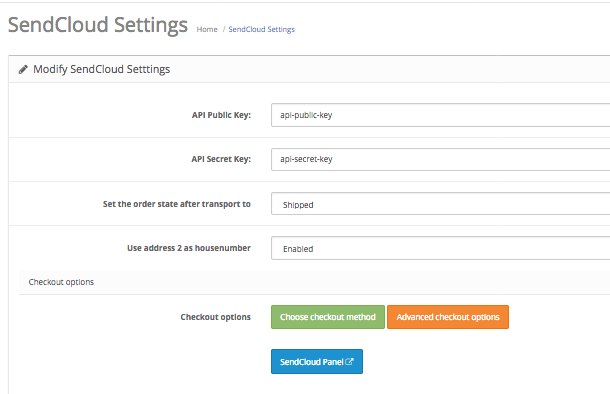
Currently we are supporting the default Opencart checkout and the Journal Quickcheckout modules, support for other checkouts will be rolled out in the future.
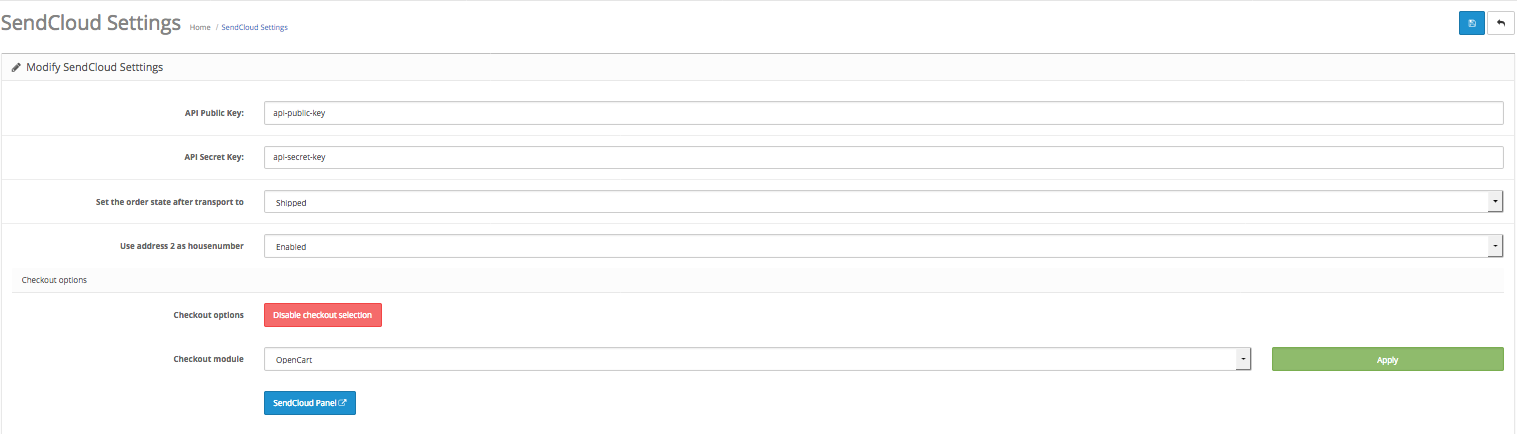
After selecting the preferred checkout method, click the green Apply button to roll out the settings, followed by the blue Save button at the right top corner of the screen to save all the settings.
Error messages

One or more orders have no shipping details. Check the order information if there is shipping information available. Be aware that payment information is not the same as shipping information.

Check the SendCloud Extension’s settings. The public key and/or secret key may be blank. If both settings are not blank check if your API keys are correct in the SendCloud Panel.

The orders can’t be transported to SendCloud. This occurs when you don’t have a suitable shipping method configured in your SendCloud account. You should contact the SendCloud support team if you think that you’re not having access to the correct shipping methods.